Unboxed
Core loop Scan/track/share collection, marketplace
Monetization Freemium subscription
Strongest feature Barcode scan, authentication, wear tracking
Gap vs. Box Out No game-worn content
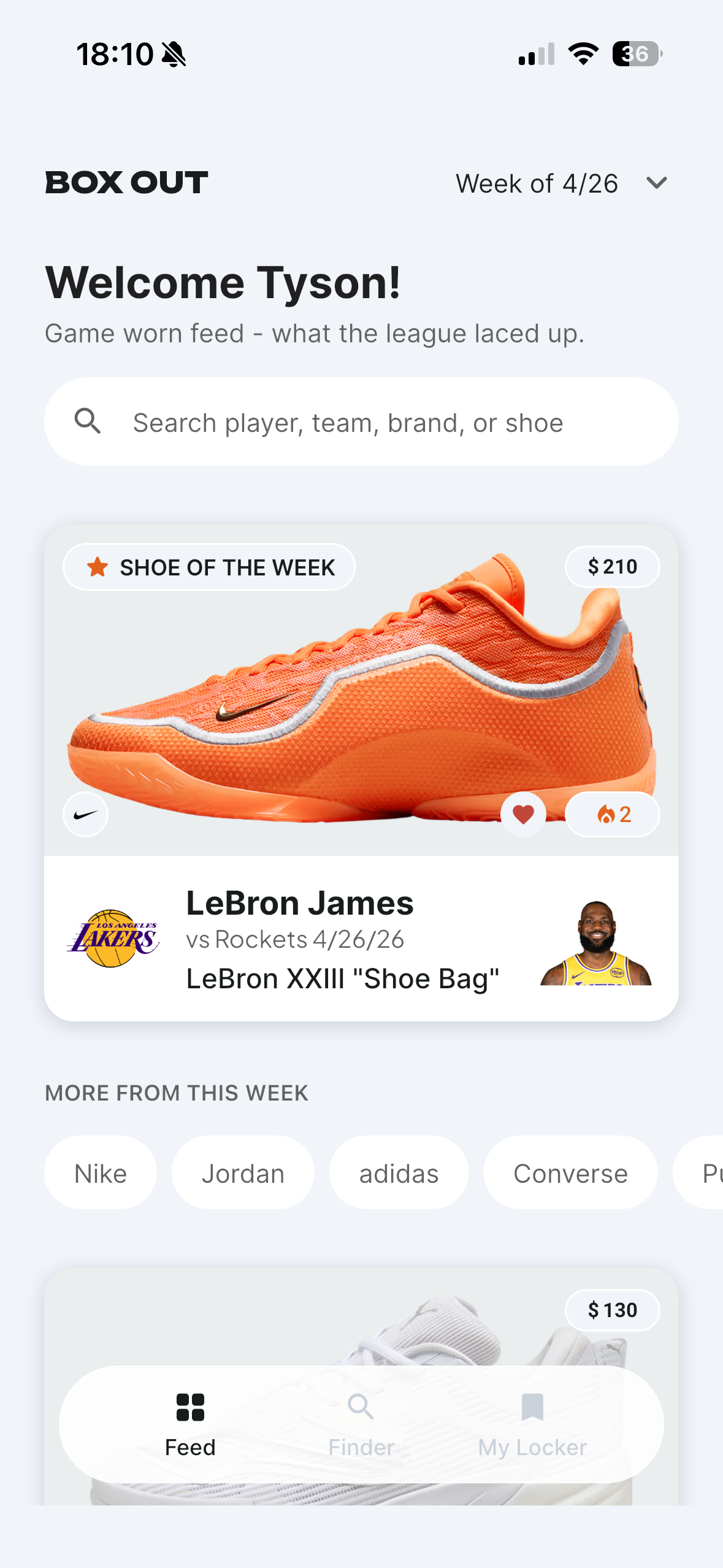
Box Out is a basketball sneaker discovery app that shows fans what their favorite players are actually wearing on court, and helps them find something similar for themselves. I designed, built, and shipped it solo, from research through the backend to the App Store, using Claude Design for wireframing and Claude Code for development.


The problem
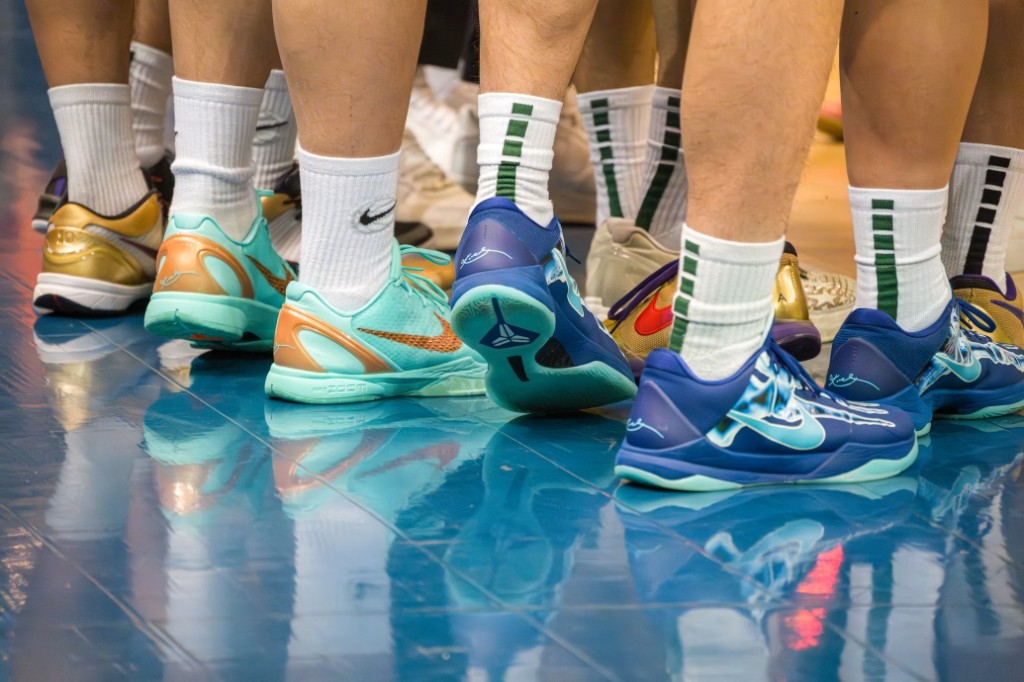
I noticed this problem watching the NBA playoffs. I saw a player in a shoe I didn't recognize, and had no easy way to find out what it was before the moment passed. That gap is what Box Out is for.
Sneaker coverage today lives on media sites and forums, useful after the fact but not in the moment you actually care. Fans are left piecing it together themselves, or letting it go. Box Out is built to close that gap: who wore it, what it is, whether it fits how you actually play, and where you can buy it.
Research & Insights
Before designing anything, I mapped the existing sneaker-app landscape to find out if this problem was already solved.
| Attribute | Unboxed | StockX | Sneaker News | Sole Collector | Colendri |
|---|---|---|---|---|---|
| Core loop | Scan/track/share collection, marketplace | Bid/buy at live market price | Editorial sneaker news, no app | Shop, compare, list, editorial content | Daily game-worn shoe/stat tracking, personal collection |
| Monetization | Freemium subscription | Transaction fees | Ad-supported | Affiliate + ads | Display ads |
| Strongest feature | Barcode scan, authentication, wear tracking | Transparent live pricing at scale | Speed/authority on sightings | Editorial trust + shop/compare | Comprehensive daily stats, media-validated |
| Gap vs. Box Out | No game-worn content | No discovery layer | No app, no commerce loop | No player-specific framing | Closest overlap. No mobile-native app, budget-fit tools, or simple browsing |
Core loop Scan/track/share collection, marketplace
Monetization Freemium subscription
Strongest feature Barcode scan, authentication, wear tracking
Gap vs. Box Out No game-worn content
Core loop Bid/buy at live market price
Monetization Transaction fees
Strongest feature Transparent live pricing at scale
Gap vs. Box Out No discovery layer
Core loop Editorial sneaker news, no app
Monetization Ad-supported
Strongest feature Speed/authority on sightings
Gap vs. Box Out No app, no commerce loop
Core loop Shop, compare, list, editorial content
Monetization Affiliate + ads
Strongest feature Editorial trust + shop/compare
Gap vs. Box Out No player-specific framing
Core loop Daily game-worn shoe/stat tracking, personal collection
Monetization Display ads
Strongest feature Comprehensive daily stats, media-validated
Gap vs. Box Out Closest overlap. No mobile-native app, budget-fit tools, or simple browsing
I ran a survey and pulled supporting evidence from Reddit threads discussing the exact same frustration, independent of my own research.
“It’s very difficult to actually see what shoes the player is wearing when you’re watching an NBA game.”
“I would love to find out what shoes players in the game are wearing right now. Is there any place for this info?”
“I’m interested to know what shoes Tatum is wearing. Looks like Kobe 10s or Kyries. But I’d also like to know what others are wearing, just to browse through it from time to time.”
Finding 1
Even among engaged respondents, price and performance needs outweighed player influence as purchase drivers. This was a real, repeatable pattern.
Finding 2
People don’t prioritize this, so I learned I can focus on keeping it a lightweight support feature instead of building it out further.
Problem statement
Basketball fans want to know what sneakers their favorite NBA players are wearing during games, but it’s hard to see or identify them in the moment. When they do spot something they like, there’s no single place to find out if it fits their own budget or performance needs. Most fans piece together sneaker discovery from social media, friends, and random articles, and end up missing shoes they would’ve wanted to buy.
“It’s very difficult to actually see what shoes the player is wearing when you’re watching an NBA game.”
He’s the reason the Feed exists, and why the Finder has to answer more than “what did they wear.” It also has to answer whether the shoe works for how he plays and whether he can afford it.

Scoping Decisions
Real-time game tracking → weekly curation. No API exists for this, and even competitors couldn’t do it live. Weekly wasn’t a shortcut. It’s the only method that actually exists.
Social marketplace → storefront/utility. Users wanted it in testing. I said no, because buying and selling between strangers needs trust and payment infrastructure a solo build can’t support well.
Deep collection tracking → kept lightweight. My own survey showed almost nobody wanted a dedicated tracker. I built the minimum: what you own, and when you added it.
Multi-sport expansion → basketball only. StockX, GOAT, and Unboxed already cover sneakers broadly. Basketball-specific discovery is still open. Spreading across sports would have made the product weaker.
Wishlist → owned conversion tracking: needs real usage data first
Restock/notify-me alerts: real infra cost, not core to the concept
A real social layer: a lighter version of the marketplace idea, to revisit once the core loop is proven
Affiliate-tracked buy links: shipped with direct links so Skimlinks approval wouldn’t block launch
Player profile pages: a depth feature that needs more sighting data to be worth it
Design Process
I designed Box Out entirely solo. I gave Claude Design my design system from the start so I could mock up screens and spin up quick prototypes. Then I refined and locked the file in Figma before build.
01
Design system, problem statement, personas, JTBD, and a written brand brief, so every mockup started on-system instead of from a vague prompt.
02
Feed, Finder, Shoe Detail, and My Shoes: rapid mockups and quick functional prototypes through prompt engineering.
03
html.to.design turned Claude output into editable layers with Auto Layout intact.
04
Named the type and color styles in Figma and componentized Shoe Card, chips, and nav for handoff.
Claude Design vs Figma
Claude Design got the Feed on-system in a single pass: layout, shoe cards, chips, and player context. Feeding the design system in first meant the mockup already looked like Box Out, not a generic sports app I would have to undo later.
What it didn’t have yet was hi-fi. Spacing was a little loose, type wasn’t named, and the shoe card wasn’t a component.
Figma is where it became hi-fi. I rebuilt it with Auto Layout and components so the file was actually ready to build from. The concept didn’t change. The screen just got structured enough to implement.
Claude Design

Figma
The build
A visual builder so I could own flows, state, and component structure without hand-coding every screen, while still deciding what data each page needed.
Postgres, Auth, Storage, and Row Level Security. The backend is not a mock. Users, shoes, reactions, and writes had to survive real policies, not just a builder preview.
Where FlutterFlow ran out, Claude Code filled the gaps: custom functions the builder couldn’t do, and debugging when it wouldn’t say why something broke.
One system, not three tools
Each tool had one job. What made this work was how tightly they fed into each other.
FlutterFlow
The app
Supabase
The database
Claude Code
Custom code
Every screen, every user flow, every piece of state lived here. This is where I made real product decisions: what data a page needed, when to query it, what a user should see first.
Every FlutterFlow screen was only as good as what it could actually read and write. Supabase held the real schema, security rules, and data. Nothing in the app was mocked.
The gap between “I need this data shaped this way” and “here’s the SQL and the FlutterFlow binding to get it” is where Claude Code lived. Schema design, RLS policies, and FlutterFlow quirks all got worked out here, in the same conversation as the feature itself, not as a later step.
What “AI-accelerated” actually meant
Launch
Box Out is live on the App Store! I carried it from the first idea through design, the backend, and Apple’s review, and it’s now something anyone can download. I’m proud I took it from 0 → 1 on my own.

Reflection
The nearest real next steps: wishlist-to-owned conversion tracking, restock alerts, and turning on affiliate-tracked buy links once Skimlinks approves my account. Further out: a lighter social layer (following friends and seeing their collections), and eventually the social marketplace that testing pointed to, once the core discovery loop has real usage behind it.
This was my first time shipping something past the design file, into a real backend, real data, and everything that breaks along the way. Most of the lessons weren’t design lessons at all: learning to read a database’s own logs instead of guessing at the UI, understanding why a security policy can quietly block an action with no error, getting comfortable being wrong about a bug three times before finding the real cause. That learning curve is a real part of the project.